
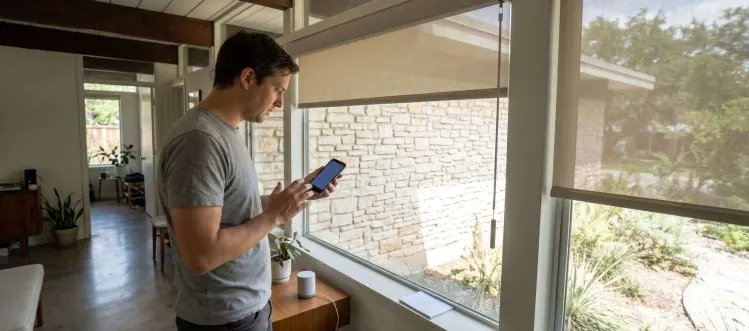
Your smart home hub choice determines shade reliability more than motor quality. Most connection failures stem from protocol mismatches, not hardware problems.
You've invested in beautiful motorized shades, but now they're sitting there like expensive manual blinds because the smart home integration isn't working. Whether you're in Austin, Lakeway, or Cedar Park, homeowners face the same frustrating reality: connecting motorized shades to home automation systems often feels more complicated than it should be. The promise of voice-controlled window treatments and automated schedules seems simple until you're staring at incompatible protocols and unresponsive apps.
Here's what most installation guides won't tell you: the success of your smart shade integration depends more on understanding your existing ecosystem than on the shades themselves. This comprehensive guide walks you through the critical decisions that determine whether your motorized shades become seamlessly integrated smart devices or expensive decoration. You'll learn which protocols actually work reliably, how to avoid the most common setup mistakes, and why some integration approaches fail spectacularly while others work flawlessly for years.
Key Takeaways
- Hub Compatibility: Your existing smart home hub determines which shade protocols will work reliably, making hub selection the most critical decision in the integration process.
- Protocol Performance: Zigbee and Z-Wave offer superior reliability for shade control compared to Wi-Fi-based systems, especially for multiple shade installations.
- Offline Functionality: Hardwired shades with local control maintain basic functionality during internet outages, while cloud-dependent systems become completely unusable without connectivity.
- Voice Command Limitations: Voice assistants control shades through your hub, not directly, meaning voice reliability depends entirely on your smart home ecosystem's stability and response time.
- Power Source Impact: Hardwired motorized shades provide faster response times and more reliable smart home integration than battery-powered alternatives, particularly for frequent automation scenarios.
Why Your Smart Home Hub Choice Determines Your Shade Performance
Most homeowners approach motorized shade integration backwards, focusing on the shades first and the hub second. This creates expensive compatibility nightmares that could have been avoided with proper planning. Your smart home hub serves as the central nervous system for all connected devices, and choosing the wrong one for your shade setup can result in delayed responses, failed automations, and constant connectivity issues that plague your daily routines.
The reality is that not all hubs handle motorized devices equally well. Some excel at lighting control but struggle with the power requirements and feedback loops that motorized shades demand. Others support dozens of shade brands in theory but provide unreliable performance in practice. Understanding these differences before installation saves both money and frustration, especially when you're planning to integrate multiple shades across rooms in West Lake Hills or Dripping Springs homes.
Hub Selection Criteria
- Protocol Support: Choose hubs that natively support your shade's communication protocol rather than relying on third-party bridges or adapters that introduce delays and failure points.
- Processing Power: Ensure your hub has sufficient processing capability to handle multiple shade commands simultaneously without creating bottlenecks during morning or evening routines.
- Local Processing: Select hubs that can execute shade automations locally rather than requiring cloud connectivity for every command, maintaining functionality during internet outages.
- Manufacturer Integration: Verify that your hub manufacturer actively maintains drivers and updates for your specific shade brand, ensuring long-term compatibility and feature support.
- Response Time: Test hub response times with motorized devices before committing, as some hubs introduce noticeable delays that make voice commands and automations feel sluggish.
The hub you choose today will determine your shade system's reliability for the next decade. Premium hubs like Control4, Crestron, or robust DIY options like Hubitat provide the processing power and local control necessary for responsive shade automation. Cheaper alternatives might work initially but often struggle as you add more devices or require more complex automations, leading to system-wide performance degradation that affects all your smart home devices.
The Protocol Battle: Zigbee vs Z-Wave for Motorized Shade Reliability
The wireless protocol powering your motorized shades determines everything from response speed to long-term reliability, yet most homeowners never consider this critical decision. Zigbee and Z-Wave dominate the smart shade market for good reason: they're specifically designed for home automation rather than adapted from other technologies. Wi-Fi shades might seem convenient because they use your existing network, but they often create more problems than they solve in real-world installations.
Each protocol handles mesh networking, power management, and device communication differently, creating distinct advantages and limitations for shade control. Understanding these differences helps you choose the right approach for your specific installation, whether you're controlling a single shade in a Bee Cave bedroom or managing dozens of shades throughout a Horseshoe Bay estate. The protocol decision also affects future expansion possibilities and integration with other smart home devices.
Here's how the major wireless protocols compare for motorized shade applications:
| Protocol | Frequency | Range | Battery Life | Interference |
|---|---|---|---|---|
| Zigbee 3.0 | 2.4 GHz | 30-50 feet | 6-12 months | High (Wi-Fi, Bluetooth) |
| Z-Wave Plus | 908.42 MHz | 50-100 feet | 12-24 months | Low (dedicated band) |
| Wi-Fi | 2.4/5 GHz | 100+ feet | 3-6 months | Very High (network traffic) |
| Thread/Matter | 2.4 GHz | 30-50 feet | 8-15 months | Medium (managed mesh) |
Protocol Comparison
- Mesh Network Strength: Zigbee creates stronger mesh networks with more routing options, while Z-Wave provides more predictable signal paths with less interference from other devices.
- Battery Life Impact: Z-Wave's lower power consumption extends battery life in wireless shade motors, while Zigbee's faster communication can drain batteries more quickly in high-usage scenarios.
- Range and Penetration: Z-Wave operates on 908.42 MHz frequency with better wall penetration, while Zigbee's 2.4 GHz frequency offers faster data transmission but more interference potential.
- Device Limits: Z-Wave networks support up to 232 devices with excellent performance, while Zigbee theoretically supports thousands but performance degrades significantly with many active devices.
- Interoperability Standards: Z-Wave Plus certification ensures device compatibility across manufacturers, while Zigbee 3.0 has improved compatibility but still experiences occasional integration issues between brands.
For most residential installations, Z-Wave provides the most reliable foundation for motorized shade control, especially in homes with thick walls or multiple floors. The protocol's mature ecosystem and strict certification requirements result in fewer compatibility surprises and more predictable performance over time. However, Zigbee excels in new construction with proper planning and can offer faster response times when implemented correctly with quality infrastructure.
What Happens When Your Internet Goes Down (And How to Plan for It)
Internet outages reveal the true architecture of your smart home system, and motorized shades often become the first casualty when connectivity fails. Many homeowners discover too late that their 'smart' shades are completely dependent on cloud services, leaving them with no way to control window coverings during outages. This becomes particularly problematic in Austin's storm season when power and internet disruptions can last hours or even days, and you need shade control for privacy and temperature management.
The key difference lies between systems that rely on cloud processing versus those with local control capabilities. Cloud-dependent shades require constant internet connectivity for even basic functions like raising and lowering, while locally controlled systems maintain core functionality even when your internet service provider experiences problems. This distinction becomes critical when you're trying to manage morning sun glare or evening privacy without connectivity, especially in homes across Spicewood or San Marcos where internet reliability can vary.
Offline Strategies
- Local Hub Processing: Invest in hubs that store and execute automations locally, allowing scheduled shade movements to continue even during extended internet outages without cloud dependency.
- Manual Override Access: Ensure all motorized shades retain manual control options through wall switches or remote controls that don't require hub connectivity for emergency operation.
- Battery Backup Systems: Install uninterruptible power supplies for critical smart home infrastructure, keeping hubs and network equipment operational during brief power interruptions that often accompany internet outages.
- Cellular Backup Options: Consider hubs with cellular connectivity options for critical automations, allowing basic shade control through mobile networks when primary internet service fails.
- Scheduled Automation Storage: Program essential daily routines directly into local controllers rather than relying on cloud-based scheduling that becomes inaccessible during connectivity issues.
Planning for offline scenarios isn't pessimistic; it's practical smart home design that ensures your investment remains functional when you need it most. The best shade integration systems gracefully degrade during outages, maintaining essential functions while losing only advanced features like remote monitoring or voice control through cloud services. This approach provides peace of mind and ensures your shades remain useful tools rather than expensive decorations during service disruptions.
The One Integration Setting That Breaks Most Smart Shade Installations
Device polling frequency sounds like a minor technical setting, but it's the silent killer of smart shade systems that initially work perfectly but gradually become unreliable. Most hubs default to aggressive polling schedules that constantly check device status, overwhelming shade controllers with unnecessary communication requests. This creates a cascade of problems: delayed responses, missed commands, and eventually complete communication failures that make shades appear broken when they're actually just overwhelmed by data requests.
The problem compounds in multi-shade installations where each device receives frequent status requests from the hub, creating network congestion that affects the entire system. What starts as occasional delays becomes systematic failures, particularly during high-usage periods like morning routines when multiple shades receive simultaneous commands. Understanding and properly configuring polling frequency prevents these issues and ensures reliable long-term performance across installations in Rolllingwood, Steiner Ranch, and throughout the Austin area.
Here's how different polling frequencies affect system performance and reliability:
| Polling Frequency | Network Load | Battery Impact | Response Time | Reliability |
|---|---|---|---|---|
| 30 seconds | Very High | Severe drain | Fast | Poor (overloaded) |
| 2 minutes | High | Moderate drain | Good | Fair |
| 5 minutes | Moderate | Minimal impact | Good | Excellent |
| 10 minutes | Low | Negligible | Adequate | Excellent |
| Event-driven | Very Low | Minimal | Immediate | Optimal |
Configuration Fixes
- Polling Interval Adjustment: Set device polling to 5-10 minute intervals rather than default 30-second checks, reducing network traffic while maintaining adequate status awareness for automation purposes.
- Event-Based Updates: Configure shades to report status changes immediately rather than waiting for hub requests, providing faster response times while reducing unnecessary network communication overhead.
- Group Communication: Use broadcast commands for simultaneous shade control rather than individual device commands, significantly reducing network traffic and improving response consistency across multiple shades.
- Network Segmentation: Isolate shade controllers on dedicated network channels or VLANs to prevent interference from other smart home devices and maintain consistent communication performance.
- Firmware Optimization: Regularly update shade controller firmware to benefit from communication efficiency improvements that reduce polling requirements and improve overall system stability.
Proper communication configuration transforms unreliable shade systems into responsive, dependable installations that work consistently for years. The difference between a frustrating smart home experience and a seamless one often comes down to these technical details that most installers overlook. Taking time to optimize these settings during initial setup prevents the gradual performance degradation that plagues many motorized shade installations.
How Voice Commands Actually Work with Motorized Shades (Spoiler: Not Like You Think)
Voice assistants don't actually talk directly to your motorized shades, despite what marketing materials suggest. When you say 'Alexa, close the bedroom shades,' your command travels through a complex chain: from Alexa to Amazon's cloud servers, back to your smart home hub, then finally to the shade controllers. Each step introduces potential delays and failure points that can make voice control feel unreliable, especially when you're trying to quickly block morning sun or create privacy for evening activities.
This multi-step process explains why voice commands sometimes work instantly and other times seem to be ignored entirely. Network latency, cloud service status, hub processing load, and shade controller responsiveness all affect the final result. Understanding this chain helps you troubleshoot voice control issues and set realistic expectations for response times, particularly important when integrating shades into broader home automation scenes that combine lighting, temperature, and window covering adjustments.
Voice Integration
- Command Processing Chain: Voice requests pass through cloud services, your hub, and finally to shades, creating 2-5 second delays that vary based on internet speed and server load.
- Natural Language Limitations: Voice assistants interpret shade commands through predefined patterns, so using consistent phrasing like 'open bedroom shades' works better than varied descriptions like 'let some light in.'
- Scene Integration Benefits: Creating scenes that combine shade positions with lighting and temperature settings provides more reliable automation than individual voice commands to separate devices.
- Offline Voice Failure: Voice control completely fails during internet outages since commands require cloud processing, making local control methods essential for backup operation during connectivity issues.
- Response Time Variables: Command execution speed depends on hub processing power, network traffic, and shade controller responsiveness, with premium hubs providing faster and more consistent voice response times.
Voice control works best when viewed as a convenience feature rather than the primary control method for your motorized shades. Setting up reliable automated schedules and maintaining physical control options ensures your shades remain functional even when voice assistants are unresponsive or internet connectivity is poor. The most successful installations use voice commands for occasional adjustments while relying on automation and manual controls for daily operation.
Why Hardwired Shades Beat Battery-Powered for Smart Home Integration
Battery-powered motorized shades seem like the obvious choice for retrofit installations, eliminating the need for electrical work and offering placement flexibility. However, smart home integration reveals significant limitations that become problematic over time. Battery shades typically enter sleep modes to conserve power, creating delays when responding to automation commands or voice requests. This sleep behavior conflicts with the instant responsiveness that smart home users expect, particularly during morning routines or security scenarios where immediate shade adjustment is critical.
The power management requirements of battery-operated shades also limit their communication frequency and processing capabilities compared to hardwired alternatives. While a hardwired shade can maintain constant network connectivity and respond immediately to commands, battery shades must balance responsiveness with power consumption, often resulting in missed commands or delayed execution. For homes in New Braunfels or throughout the Austin metro area where reliable automation is prioritized, hardwired installation provides superior smart home integration despite higher upfront installation costs.
Power Advantages
- Instant Response Time: Hardwired shades maintain constant power and network connectivity, eliminating the 2-5 second wake-up delays common with battery-powered alternatives during automation execution.
- Unlimited Automation Frequency: Constant power supply allows unlimited daily cycles without battery degradation concerns, supporting complex schedules and frequent adjustments based on occupancy or weather conditions.
- Bi-directional Communication: Hardwired controllers can continuously report status and receive commands without power conservation limitations, enabling accurate status feedback and reliable scene synchronization across multiple devices.
- Processing Power Capacity: Direct power connection supports more sophisticated onboard processing for advanced features like obstacle detection, precise positioning, and integration with building management systems.
- Maintenance Elimination: Hardwired installation eliminates battery replacement schedules, charging requirements, and the gradual performance degradation that affects all battery-powered devices over time.
While battery shades offer installation convenience, hardwired systems provide the reliable performance that smart home integration demands. The investment in proper electrical installation pays dividends through years of consistent operation without the ongoing maintenance and performance limitations of battery-powered alternatives. For serious smart home implementations, hardwired motorized shades represent the professional standard that delivers dependable automation and integration capabilities.
The Hidden Cost of Cheap Smart Shade Controllers
Budget smart shade controllers appear attractive with low upfront costs and broad compatibility claims, but they often create expensive problems that dwarf the initial savings. These controllers typically use inferior components that fail under the power demands of motorized shades, leading to premature motor burnout, erratic behavior, and complete system failures that require costly replacement of both controllers and motors. The 'bargain' quickly becomes an expensive lesson in why professional-grade components cost more initially but provide better long-term value.
Cheap controllers also lack the sophisticated communication protocols and error handling that premium systems provide, resulting in unreliable smart home integration that frustrates users and undermines confidence in the entire system. When shade commands are ignored, automations fail randomly, or voice control works sporadically, the problem often traces back to inadequate controller hardware that can't maintain consistent communication with hub systems. For installations across Cedar Park, Lakeway, and surrounding areas where reliability matters, investing in quality controllers prevents these costly and frustrating failures.
Quality Indicators
- Component Certification: Look for UL-listed controllers with proper electrical certifications rather than uncertified imports that may create fire hazards or insurance liability issues in residential installations.
- Motor Protection Features: Quality controllers include overcurrent protection, thermal monitoring, and soft-start capabilities that extend motor life and prevent damage from electrical surges or mechanical obstructions.
- Communication Reliability: Professional controllers maintain consistent network connectivity and include error recovery protocols that automatically reconnect after temporary network disruptions without manual intervention.
- Firmware Update Capability: Choose controllers with secure firmware update mechanisms that allow bug fixes and feature improvements over the product lifecycle rather than static firmware that becomes obsolete.
- Manufacturer Support: Verify that controller manufacturers provide technical support, replacement parts availability, and integration assistance rather than disappearing after sale with no ongoing support infrastructure.
The true cost of shade controllers includes not just the initial purchase price but also installation time, long-term reliability, and integration complexity. Quality controllers from established manufacturers provide the stability and features necessary for successful smart home integration, while cheap alternatives often require replacement within months or years, ultimately costing more than investing in proper equipment initially. Professional installers consistently recommend proven controller brands because they understand the long-term costs of system failures and customer service issues that cheap components create.
Building Your Connected Shade System
Successfully connecting motorized shades to your smart home system requires understanding the underlying technology rather than just following setup instructions. The decisions you make about hubs, protocols, and controllers determine whether your shades become seamlessly integrated automation tools or constant sources of frustration. Quality components, proper configuration, and realistic expectations about voice control and automation capabilities set the foundation for a system that enhances your daily routines rather than complicating them.
Whether you're planning a new installation in Austin or upgrading existing shades throughout West Lake Hills, Bee Cave, or surrounding areas, focus on building a robust foundation that supports reliable long-term operation. If you need professional guidance on smart home integration or want to explore our motorized shade solutions, we can help you design a system that delivers the convenience and reliability you expect from modern home automation technology.
Author
This article was written by the Treaty Oak Shade Company Editorial Team, experienced professionals serving Austin, West Lake Hills, Lakeway. Our team focuses on educating clients and providing valuable insights to help them make informed decisions.
Ready For a Quote?
Get your custom shade quote Today.
Free, no-pressure consultation. We measure, photograph, and send a written line-item proposal within a week. Most installs ship in 3–5 weeks.
Call the workshop
(512) 939-3446
Mon–Fri · 8a–5p CT · Austin, TX
Prefer to talk it through? Calls are answered by the same team that builds your quote — no call centers, no gatekeepers.
Custom exterior shades, motorized patio screens, awnings, and interior window treatments for Austin and Central Texas.
How To Contact Us
Austin, TX 78734
Monday - Friday 8 AM - 5 PM
navigate
Copyright © 2026 | Treaty Oak Shade Co. All Rights Reserved. | Privacy Policy